 Loading... Please wait...


- Home
- Other Car & Truck Parts & Accessories
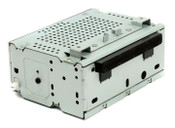
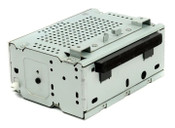
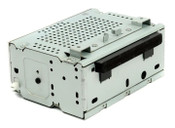
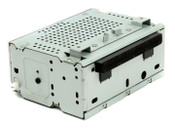
- 11 12 13 14 15 16 Ford Fiesta Radio CD Player D2BT 19C107 AK


)
Product Description
This part number (D2BT-19C107-AF) belongs to the Audio Control Module (ACM)—the actual "brain" of the radio—for the 2014–2016 Ford Fiesta.
It is a very common replacement part because this specific generation of Fiesta radios is notorious for failing (cracking, popping sounds, or going completely dead).
eBay Listing Title Suggestions
Search Optimized: 2014-2016 Ford Fiesta Radio CD Player Receiver ACM OEM D2BT-19C107-AF Tested
Professional: OEM Ford Fiesta Audio Control Module Radio Receiver D2BT-19C107-AF 14 15 16
Item Specifics
Brand: Ford (Genuine OEM)
Manufacturer Part Number: D2BT-19C107-AF
Interchangeable Part Numbers: D2BT-19C107-AA through AJ (The last two letters change with software revisions, but they are generally interchangeable).
Fitment: 2014, 2015, 2016 Ford Fiesta (S, SE, Titanium, ST).
Features: AM/FM, Single CD, MP3, SiriusXM Satellite Radio Ready.
Description Content
Genuine OEM Ford Fiesta Audio Control Module (ACM)
Is your radio making a loud "pop" or did it stop playing sound entirely? This is the direct replacement "brain" for your dash.
✅ Key Details:
Fully Tested: Audio outputs, CD player, and satellite radio functions have been 100% verified.
No Code Required: This unit does not require an anti-theft unlock code.
Plug & Play: In most cases, this is a direct swap. However, because Ford uses "As-Built" data, you may occasionally need to perform a "Proxi Alignment" or simple programming if your steering wheel controls don't respond immediately.
? Compatibility Check:
Please match your part number! While many Fiesta radios look the same from the front, the internal data streams differ. This unit replaces part numbers starting with D2BT-19C107.
Technical Troubleshooting Tip (Important for your Buyer)
If your buyer says it "doesn't work" after plugging it in, the Fiesta often needs a Hard Reset to recognize a new ACM:
Disconnect the car battery for 10 minutes.
Reconnect and turn the ignition to "On" (don't start).
Let the radio sit for 2 minutes to "handshake" with the screen and BCM.
recommended
-
 $199.99
 -
 $299.99
 -
 $199.99
 -
 $299.99
 -
 $139.99
