 Loading... Please wait...


- Home
- Interior Parts & Accessories:Rear View Mirrors
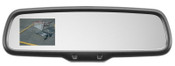
- 2016 2017 2018 2019 Ford Transit LCD Camera Auto Dim Rear View Mirror


)
Product Description
For the 2016–2019 Ford Transit, these mirrors are essential for cargo van drivers who often have zero visibility out of the back. Emphasizing the safety and visibility aspect is what sells these units.
Optimized Listing Title
2016-2019 Ford Transit Backup Camera Mirror | Auto-Dimming LCD Display | OEM Factory
Professional Product Description
Eliminate blind spots in your Ford Transit with this Genuine OEM Rearview Mirror. This unit features the factory-integrated LCD backup display, providing a clear wide-angle view of what’s behind your van the moment you shift into reverse.
Key Features:
Crystal Clear 3.5" LCD: The display is hidden within the mirror glass and activates automatically in reverse.
Auto-Dimming Safety: Automatically tints to prevent "night blindness" caused by high-beams from vehicles behind you.
Ford Factory Reliability: This is an authentic Ford part, built to withstand the heavy vibration and high mileage typical of commercial transit use.
Perfect Fit: Designed specifically for the Transit 150, 250, and 350 models (Standard and High-Roof).
Compatibility & Part Details
Fits: Ford Transit-150, T-250, T-350 (Full-Size Vans)
Years: 2016, 2017, 2018, 2019
Part Type: Rearview Mirror with LCD & Auto-Dim
Condition: Fully Tested. Mirror glass is in excellent condition with no spotting or bleeding. The LCD screen is bright and clear.
Installation Note
Plug-and-Play: If your Transit is already equipped with a backup camera but has a standard mirror, this is a simple swap for most 2016+ models. Please verify your overhead wiring harness matches the factory 16-pin or 10-pin configuration before purchasing.
Shipping & Guarantee
Packed for Protection: We ship all mirrors in heavy-duty boxes with high-density foam to prevent damage during transit.
Tested Before Shipping: Every unit undergoes a bench test to confirm the LCD activates instantly.
\
recommended
-
 $199.99
 -
 $169.99
 -
 $129.99
 -
 $90.99
 -
 $69.99
