 Loading... Please wait...


- Home
- CAR ELECTRONICS
- Navigation GPS
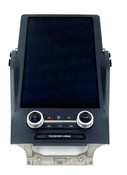
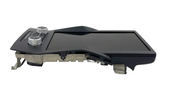
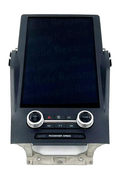
- 22 23 24 Subaru WRX Radio Touch Screen Display Navigation CarPlay Android Auto


)
Product Description
The 2022-2024 Subaru WRX features a prominent touchscreen display that serves as the central hub for the infotainment system. While the base model initially came with a 7-inch screen, all other trims, and all models from 2024 on, feature a larger, vertically-oriented 11.6-inch screen.
Key Features:
Apple CarPlay and Android Auto: These features allow you to integrate your smartphone with the car's display, giving you access to navigation apps (like Google Maps or Waze), music streaming services, and hands-free calling/texting. The 2022-2023 models originally used a wired connection for these features, while the 2024 models added standard wireless functionality.
Navigation: The built-in navigation system is available on certain trims. However, many owners opt to use their phone's navigation apps via Apple CarPlay or Android Auto for more up-to-date maps and traffic information.
Controls: The large touchscreen controls various functions, including media, vehicle settings, and climate control. While some physical buttons for volume and tuning are retained, many users have noted that having climate controls on the touchscreen can be distracting while driving.
Common Issues and Solutions:
Connectivity Problems: Some owners have reported issues with Apple CarPlay and Android Auto disconnecting or failing to connect, particularly with the wired connection on 2022-2023 models.
Solutions:
Use a high-quality, manufacturer-certified USB cable.
Ensure both your phone's operating system and the car's infotainment software are up to date.
Try resetting the infotainment system by holding down the power button for 10-15 seconds.
For wireless issues, ensure both Wi-Fi and Bluetooth are active on your phone, as wireless CarPlay and Android Auto use both to connect.
Slow Performance: The infotainment system can be slow to boot up or respond to touch inputs, especially in colder weather.
Solutions:
Allow the system to fully boot up before attempting to use it. Remote starting the car can help.
Perform a factory reset or software update to improve performance.
Screen Glare: The large, vertically-oriented screen is prone to glare, which can make it difficult to see in certain lighting conditions.
If you are looking to purchase a replacement or upgrade, note that the 11.6-inch display from a Premium, Limited, or GT trim can be installed in a base model 2022+ WRX, though this is a significant and complex modification.
recommended
-
 $699.99
 -
 $699.99
 -
 $449.99
 -
 $489.99
 -
 $314.99
